

Everybody has an opinion about things and many people are more than willing to share their thoughts on things they care about. This is why it is a great idea to add a survey feature to your WordPress site. A survey is a simple and easy way to enhance your blog as it adds a whole new dimension.
Online surveys are a great way of finding out more about your customers, readers, and visitors. The information that participants provide is vital and the cost of acquiring this data is very low.
WordPress offers a lot of options on how you collect information from visitors. Plugin solutions allow you to perform simple polls, fun quizzes, and long detailed surveys.
Today, WordPress is the top choice among individuals, freelancers and small businesses. Why? Because WordPress is a highly functional and full-fledged CMS for blogs and websites.
Whether you’re using it as a blogging engine or as a CMS, at some point of time you had to rely on plugins to include the desired functionality.
Small businesses and freelancers often run reader or customer based surveys on their WordPress powered websites. These survey functionalities can either be custom coded by experts, or by using plugins.
Before we get down to the nitty gritty of things, let’s talk about how important is it to have a survey in your blog.
How will WordPress survey plugins help my website?
Quite simply, WordPress survey plugins will drive traffic to your site.
There are a few ways to do this. However, there are other advantages to adding a survey to your site which are not just down to simply attracting more hits.
If you are smart, you can use surveys as a tool to improve your coverage. You can also improve the quality and variety of your content and even your site design.
- Surveys and Polls Create Interaction with Your Audience
- You can link your articles to surveys which help gauge opinion and might prompt ideas for further content.
- Surveys and polls inevitably trigger discussion, so you can use WordPress survey plugins to build traffic for your forum or comments on the back of an article.
- Feedback and interaction generates more feedback and interaction.
- Surveys can help build traffic through social media.
- You can learn more about the demographic of your audience through surveys. This can help future considerations for content or the general direction of your site.
- Some WordPress survey plugins have great graphical features that help your site stand out and look more visually arresting.
- A survey instantly changes the mood of your site, as much as installing a great WordPress theme or adding content.
- Visitors see a survey that they can easily get involved with, and immediately there is engagement and a higher return rate.
Why are surveys are so important?
At some point you really need to stop guessing. When I take a good look at myself I am often really surprised at how much guess work I do around my blog.
Sure, I have a fair idea about what my readers might like based on two years of getting to know them, but the best way to do things is to occasionally ask.
Surveys let you find out things like:
• who is actually reading your blog (age, sex, location, interests, etc.)
• what content people would like to see more of
• what products they might be interested in purchasing down the track
• what problems they have with your blog
• any ideas they have for improving your delivery, design or approach
All of this information can help you grow in areas that you might not have even known were problematic or underdeveloped.
How to Create a Survey for Your Blog Readers
There are a few ways to do this. Let me show you the quick and easy methods first and then get in to something a little more professional and polished.
1. Use your comments area
The first and most basic way to survey your readers is to just ask them in the comments area. This has several advantages:
• It is familiar
Readers don’t have to learn anything new so will be often more likely to answer.
• It is free and easy
No cost to you and you don’t have to master and new software.
• Readers can feed off others ideas
Comments aren’t anonymous so readers will see the other comments and get involved in discussions. This can give birth to new ideas.
However, there is also a few disadvantages to using the comments area like:
• You can’t limit responses
With a survey you can limit responses so that you get the correct information out of people. In the comments area people are just free to talk.
• Public forum might stifle the truth
What was a plus above might be a negative as well. Some people might not want to express their full opinions in public.
2. Use a simple WordPress Polling Plugin
Now, some of you might disagree with this but a simple poll that you embed in your sidebar or blog post is also a type of survey.
Now, some of you might disagree with this but a simple poll that you embed in your sidebar or blog post is also a type of survey.
This can be particularly useful if you do several different polls over a period of months. Why? Because people will get used the interaction on your blog and look forward to having their say and checking back to see if their is a new poll.
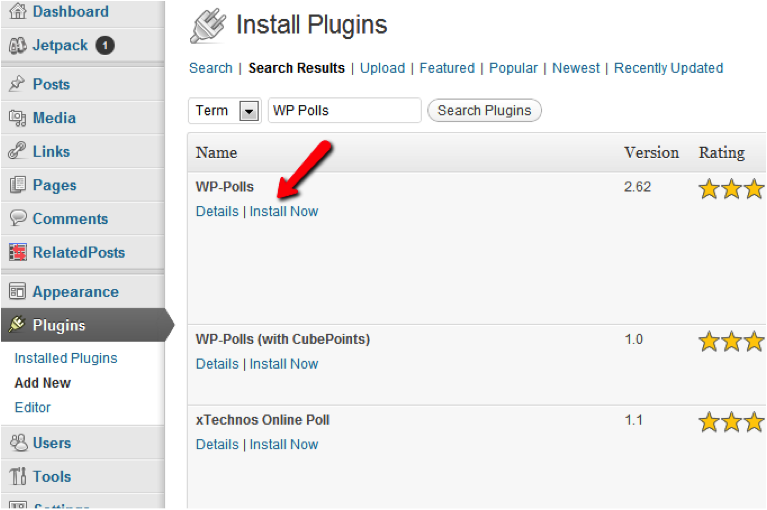
The WP-Polls plugin lets you build single-answer or multi-answer polls that can be easily put in the sidebar. Keep in mind that it’s very easy to add a plugin: just go to your dashboard and click on PLUGINS> ADD NEW> SEARCH. Then locate the plugin you want and there’s no need to download to your computer.
3. Create a Professional and Powerful Survey with Survey Monkey
If you want to get a bit more serious with your polls I highly recommend Survey Monkey which is free for up to 100 responses.
To get started with Survey Monkey just visit their site, sign up for a free account and then click “Create a Survey”. This will take you to a beautiful survey creator area which is extremely simple to follow.
They even give you little tips along they way to make sure you’ve thought of everything!
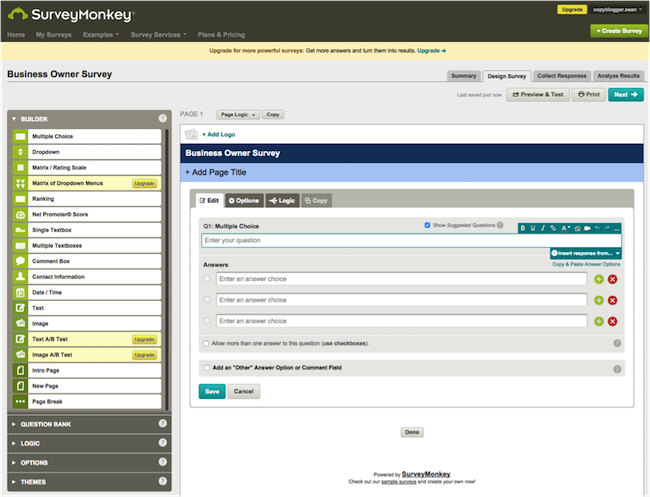
If you take a closer look at the screenshot, you will see that there’s a bunch of surveys to choose from.
There are options for simple blank boxes where your visitors can write essays. There are also more complicated choice-based answers in different stages.
Generally it is a good idea to keep things simple and separate your questions by topic or the nature of the answer. Never ask more than one question at a time.
As you can see, you then get a really cool area where you can edit your questions and look at a preview of how your readers will see the survey. This is a very important step.
Another cool Survey Monkey feature is their template creator. The feature allows you to custom design and build a template matching your own logo and colors.
This enhances the survey participation rate because people feel as if they are part of your website. Once done with your survey, you will have access to statistics showing how your surveys perform.
The data can be turned into charts and you can download the results as an Excel file so you can further analyze the spreadsheets.
Some of the main advantages of Survey Monkey include:
• Great support
If you aren’t sure about something you can just jump on support and get some expert help.
• A database of questions
Asking the right questions is extremely hard. Survey Monkey have a huge database of questions written by experts that you can tap into in order to reduce bias, etc.
• Live results
There is something really cool about watching the answers come in live. You can read them as you go.
• Easy interface
I love it when a complex task like creating surveys is made super easy. Their step-by-step editor is one of the best I have used and beginners and experts will really enjoy it.
• Email, Facebook and Blog delivery
These surveys can be sent out to your email list, posted on Facebook or linked on your blog. Once you have that final survey URL you can add it anywhere you like.
This really is a much more powerful and robust way to get information.
How To Ask The Right Questions And Get The Most From Your Survey
Over the years I have done quite a few surveys on my different blogs. While I am no where near an expert in the field I can hopefully offer you a few pointers.
1. Define your survey goals
The first step is to come up with some goals for your survey.
If you don’t think of these at the beginning, your survey might come across as directionless. It could even end up confusing people due to the lack of focus.
It is very important that your readers know what type of information you are after.
Some goals might include:
• getting feedback on a recent event
• finding out demographics about your readers
• discovering levels of interest around an upcoming future event or product
• etc.
Make sure you have one goal per survey.
2. Keep it short
People get bored really easily and their levels of generosity will drop off quickly. Make sure your survey is really short and takes no more than a minute to fill out.
If your survey takes much longer than this you are either asking the wrong questions. Or you may need to offer a bigger participation reward. This leads me to my next point.
3. Consider offering a reward
Some bigger events send out surveys and put you in the draw to win a big prize if you fill out the survey. This shows your readers that you are serious and also helps them understand that the data you are collecting is valuable. An Amazon.com Gift Card or some prize related to your blog should be enough.
Do not make the prize too big. Otherwise you run the risk of getting surveys filled out by people who aren’t really interested in helping. Keep in mind that there are people just want to go in to the draw.
4. Limit response options
There is a marketing rule that says that the more choices you give people the less likely they are to make one. I have found that this applies to surveys quite well.
Limit people’s response options and you will find that the answers are often more accurate and you get more of them.
For example, instead of having an option where people can write their own answer give them 3 pre-defined choices.
This isn’t always possible, of course. Sometimes you need to hear people’s own thoughts.
5. Know your research participants
It might seem simple but it is really important to know who you are asking these questions to.
For example, in my niche I need to know whether I am talking to beginners or experts. I need to have some idea about their level of education and how well they understand the terms that we are talking about.
Try to become familiar with your audience before you send out the survey.
6. Take time crafting your email and subject line
If you are sending out your survey by email to your list you want to make sure your email gets attention and helps set up the survey.
For example, if you have a list of 1000 people you might be able to get an open rate of 400 people with a bad title and 600 people with a good title. That makes a big difference to the amount of surveys that you might get back.
The body of the email itself should set up the survey – tell people why you are doing it and let them know how valuable their input is.
And, as always, make sure you say please and thank you.
7. Use simple language with minimal jargon
Closely related to the previous point, you want to make sure you are using language that is easy to understand when just glanced at.
We all know that people don’t spend much time trying to understand or read things deeply on the internet. They skim. And your survey is no different.
Keep the language simple and to the point.
The Ultimate WordPress Survey Plugin List–The Plugins Worth Your Time
Here are some of the best survey plugins for WordPress that you can use. They are extremely easy-to-use and lets you launch custom surveys or polls in no time.
Some of these plugins provide multiple functionalities. They are great because aside from that, they also give you a robust survey platform for your WordPress blog.
Polldaddy Polls & Ratings
Polldaddy is a fantastic plugin that allows you to create surveys, polls, and quizzes. It also allows visitors to rate articles and comments.
This is a very popular survey plugin with large user base. You can design, host and control all your custom surveys right from within your WordPress dashboard.
Through this plugin you can not only design your survey in 20 different styles, but can also host them in dozens of languages. This plugin also gives you the flexibility to either keep the survey data private or public as per your preferences.
The plugin’s drag and drop interface allows you to change the order of questions easily.
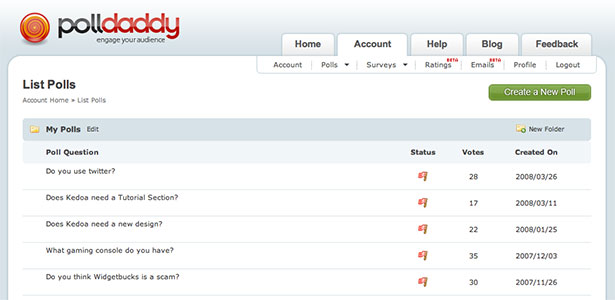
There are 19 types of questions available. And you can integrate images, video, and audio, into your questions and answers. It comes packaged with twenty different styles and you can brand surveys with your own logo.
Results can then be displayed inside articles or in a widget area such as your sidebar.
You are free to create an unlimited number of surveys and polls using the plugin. The free version, however, restricts email invites to 1,000 per month. This can be extended to 10,000 per month at a cost of $200 per year.
Polldaddy is free to use and comes with a lot of great features.
WP-Polls
WP-Polls takes a simpler approach to polling than PollDaddy.
It allows you to define the question and answers. You can also define whether participants can select multiple answers. Voting can be restricted to registered users if you wish.
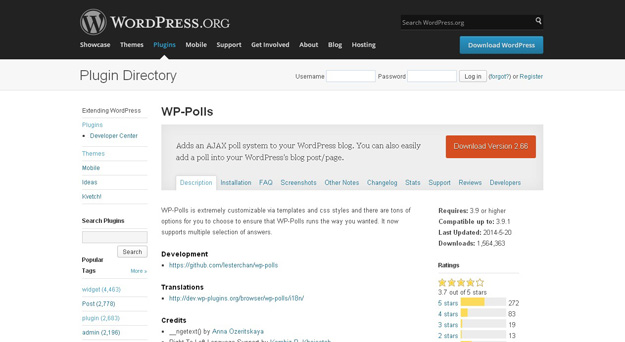
The settings area allows you to change the color of your poll background and border. You can also change the complete look and layout of your polls using the in-built templating system.
WP-Polls is a good option if you just want basic polls.
YOP Poll
YOP Poll works in a similar way to WP-Polls, however it has more advanced options. It offers many options on how results are sorted and how they are displayed to visitors.
Custom fields can also be added to polls. In addition to restricting voting to registered users, you can also display a CAPTCHA field to cut down on spam.

The templating system works really well. Instead of one modifiable template, it comes with 15 different templates and color schemes. You can then modify your preferred template.
YOP Poll is easy to use and comes with fifteen different poll styles.
Social Polls by OpinionStage
Social Polls is a responsive polls solution that has great social media integration.
This is one of the most popular WordPress survey plugins and also one of the most powerful. Despite that it is very easy to understand. You can add polls to your WordPress site or to your Facebook page.
You can do the following with this plugin:
* Create
* Edit or delete polls
* View poll participants
* Social network identities and
* Filter survey participants and results.
There is also a good tool for analyzing the results.
The OpinionStage service promises traffic and social media shares increase. This is a hefty promise for a poll plugin. I am not sure whether this claim is true, however their polls are more colorful and interactive than most alternatives.
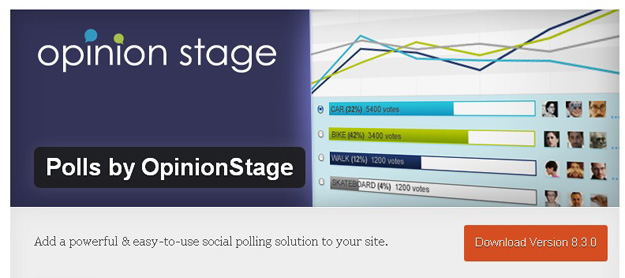
Unlike most other WordPress survey plugins, Social Polls stores all data on OpinionStage. This is a great thing because other plugins store data in your website.
Because most surveys and polls lose their relevance over time, this is not necessarily a bad thing. This just means you are not increasing the size of your own database.
Social Polls is a colorful solution with great social media integration.
Advanced Polls for WordPress ($13)
Advanced Polls is a useful plugin for asking your readers basic questions. Participants can choose one or multiple answers.
This is a great plugin that allows you to create surveys and polls. It also allows you to display the results in a series of attractive graphical formats. These also appear in nicely designed pop-up windows.
There are no restrictions on the number of polls you can have running at any one time, so you can add and manage an unlimited amount.
Four graphical results options are available:
* Normal line
* Full line
* Google pie chart
* Google bar chart.
Unfortunately, there is no templating system. But the styles that are available have a clean professional look.
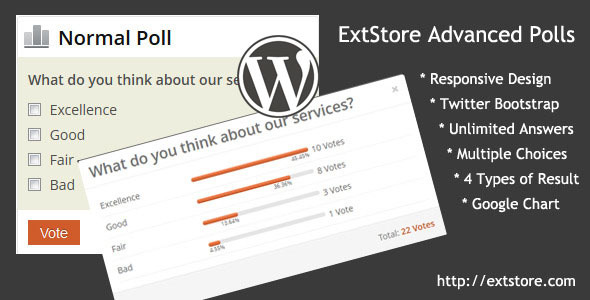
Advanced Polls presents results in a professional manner.
WP Form Builder Feedback Survey & Quiz Manager Pro ($28)
WP Form Builder is one of the most advanced survey solutions available for WordPress. Also called FQSM, this stands for Feedback, Survey and Quiz Manager. With this plugin, you can collect feedback and survey results and host quizzes too.
This plugin is ideal for specialists in running surveys, because it allows users to submit their own surveys. You can then analyse these submissions and users can track their own submissions too.
It offers many features that other plugins do not such as the following:
* Conditional logic
* File uploading
* Image slideshows
* Collapsible containers
* Custom redirection dependent on the score that a user receives.
Surveys and quizzes can also be designed using a drag and drop interface. T he plugin provides detailed charts and statistics for results. The forms are also responsive and have been optimized for high retina display devices.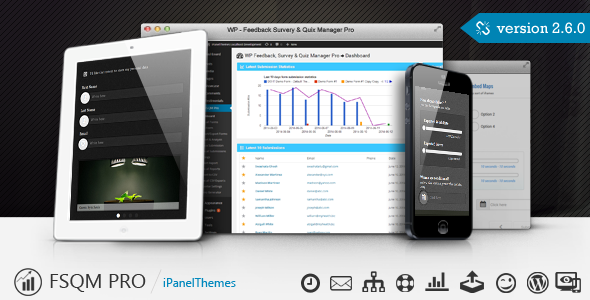
WP Form Builder Feedback Survey & Quiz Manager Pro is the perfect choice if you want to build complex forms.
WordPress Simple Survey
WordPress Simple Survey lives up to its name as being a simple survey solution. The free version of the plugin only allows you to add one question and does not allow multi-response questions.
I love the look and feel of WordPress Simple Survey. Sadly, the premium version is not that simple: it costs $50.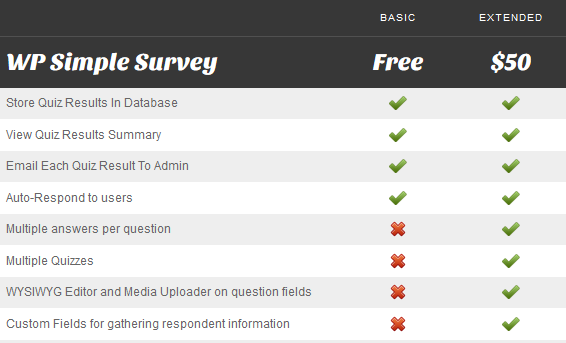
It offers many more features, which is a good thing in general. But it is hard to justify this cost with other solutions such as PollDaddy available free of charge.
WordPress Simple Survey looks great, though the free version has limited functionality.
This flexible and powerful plugin lets you host custom survey, poll, and questionnaire or quiz very easily. All the collected data is stored in WP database and can be displayed and analyzed in the WordPress dashboard.
Since this plugin is powered by jQuery, visitors can fill multiple interactive fields within a single page. They won’t need to reload the web page. This plugin has a robust score and weightage mechanism so that you can easily analyze the results with a click of a button.
One of the most flexible yet powerful WordPress survey plugins. WP Simple Survey allows you to create surveys, polls, questionnaires or quizzes.
All data is stored in your WordPress database. This means that you can analyse the data via your WordPress dashboard and track submissions as they arrive. You can also receive results by email if you wish. For the user, all the survey questions are easy to view on one page.
Bolder Surveys for WordPress ($15)
Bolder Surveys allows you to create long detailed surveys. Multiple question types are available including checkboxes, dropdowns, and content fields. All questions can be rearranged using a drag and drop interface and can be restricted to registered users.
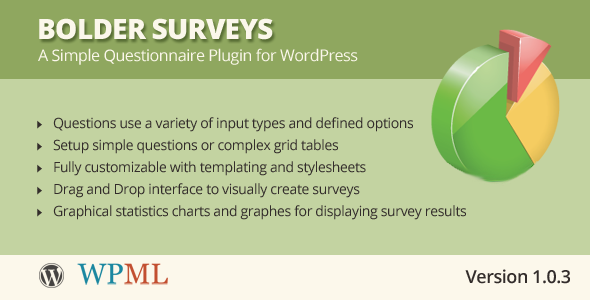
Results can be displayed using bar charts and pie charts. As you can see, the output looks very professional.
Bolder Surveys displays fantastic looking charts from your results.
Poller Master ($15)
Poller Master is a stylish survey solution that features over 85 visual effects and over forty unique styles. It allows users to give multiple answers and there is an option to show a countdown timer until the poll closing date.
All elements of poll forms can be customized through the settings area including colors, fonts, and widths. You can also modify the error messages that are displayed to users when they complete the form incorrectly.
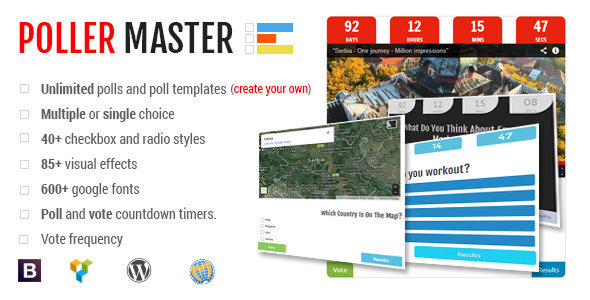
Poller Master has everything you need to create stylish surveys and polls.
Modal Survey – WordPress Feedbacks & Polls Plugin ($15)
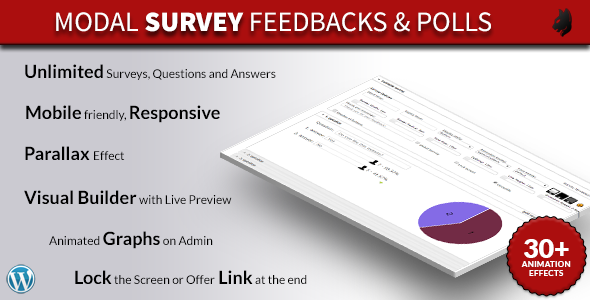
Modal Survey is a responsive survey solution that features a visual builder. The builder gives you a live preview of your form as you change it.
With over 650 fonts and 30 animation effects; the builder gives you a lot of freedom over how your forms are designed. Results can be displayed on your website using a variety of charts and bars.
Modal Survey allows you to style your forms using a visual builder.
As you have seen, the survey and poll plugins that are available for WordPress offer a wide variety of features and styles.
Basic plugins such as WP-Polls are useful if you just need to perform a simple poll. For longer surveys and complex forms, I recommend looking at Polldaddy and WP Form Builder.
WebEngage Feedback
This plugin is extremely useful in collecting feedback from your customers or readers. It also lets you create custom short surveys very easily.
Once you’ve designed the survey template, simply embed the JavaScript code into your theme.
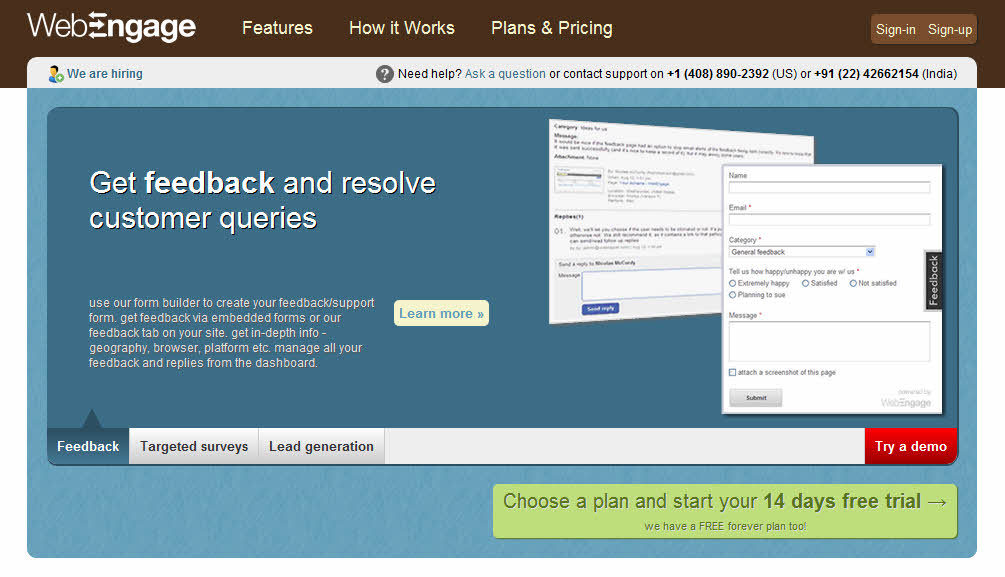
You can also customize the ‘Feedback’ button placement, size and color as per your requirement.
Whenever a visitor fills the feedback form, you instantly receive the notification through email.
Web Engage allows visitors to report issues and suggest ideas through surveys. It is particularly good for sites that sell products or services, rather than a simple blog. A good analytics module allows you to monitor progress on all surveys and polls.
SurveyPress
This is one of my favorite plugins to integrate powerful customized surveys to WordPress powered blogs. It uses the robust and open source LimeSurvey survey tool to run all the surveys.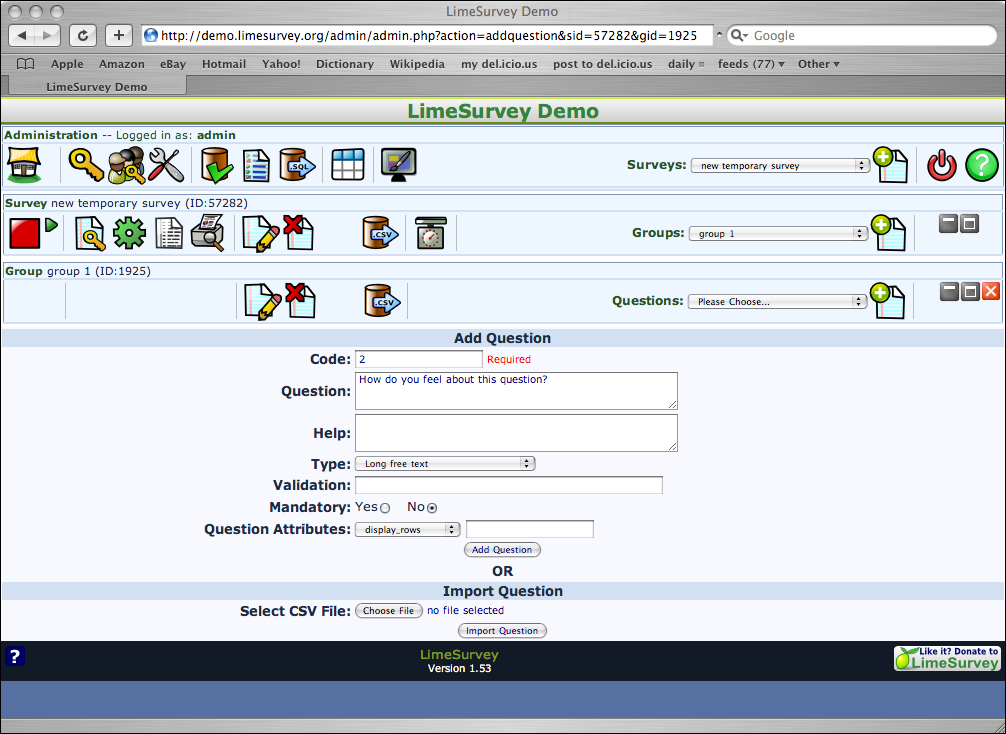
This plugin can create private as well as public surveys. It can assign different privileges to registered users for creating, editing and submitting surveys. You can create unlimited number of custom surveys and can run them simultaneously on the same blog.
This plugin is useful if you want to grant roles to different users within your site. This way, you actually manage surveys instead of running them yourself.
Survey Press administrators can integrate WordPress with Lime Survey. This is an open source survey tool.
The plugin allows your assigned administrators to import users from Lime Survey and WordPress. Those users can then see your active surveys on their dashboard.
This is ideal for an organisation that specializes in market research and has several surveys running at the same time.
Pinnion Plugin
This unique plugin not only lets you run survey, poll or quiz on your WordPress blog. It also lets you run these surveys through mobile apps or social media platforms.
This plugin has free mobile apps for iPhone and Android platform to easily host surveys to mobile visitors. You can also host trivia games through this powerful plugin.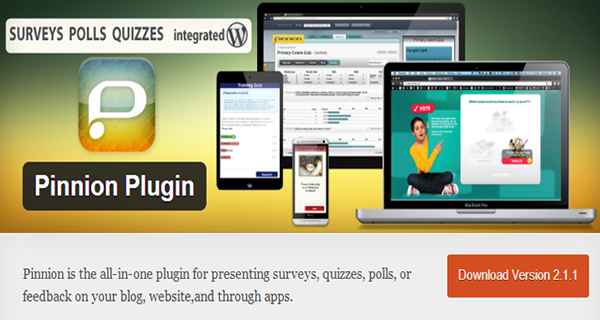
You can also share your custom surveys to Twitter and Facebook audience easily.
With this plugin each survey, quiz or poll can be embedded anywhere within your WordPress site, not just in your posts. The results data can be emailed or posted on Twitter or Facebook. They can also be visible directly within your WordPress account. As with pretty much all the products in the list, this plugin is easy to use and install.
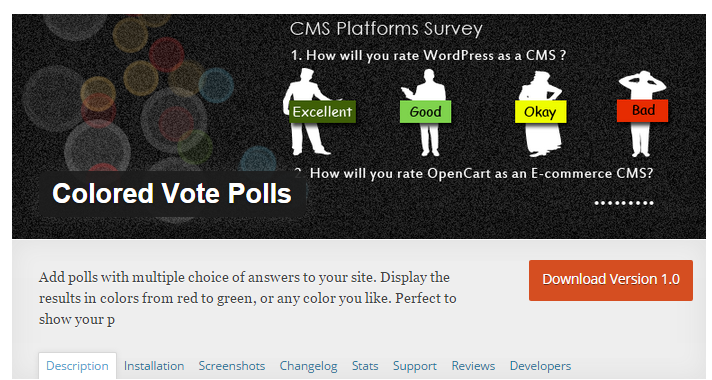
Colored Vote Polls
As the name implies, this handy plugin uses different colors for each poll answer. It presents a custom and visually appealing poll to the visitors.
Depending on your requirement, you can either make all the answers mandatory or you can do so selectively.
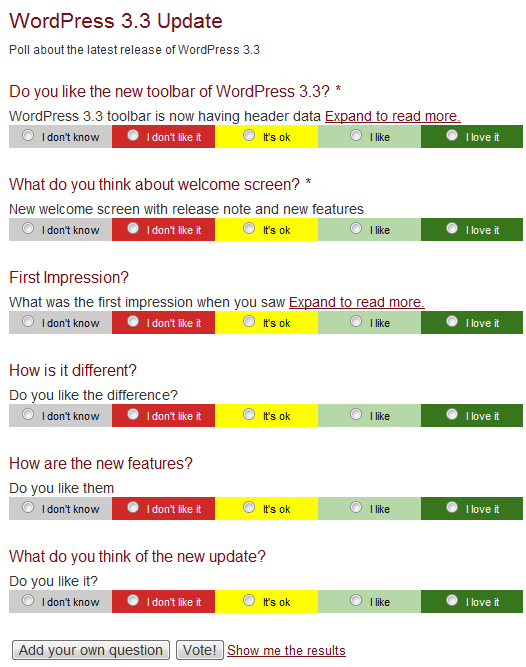
What I liked most about this plugin is the ease at which you can embed the polls to any post or page through shortcode. You simply have to copy paste it at the desired location to get it running.
Here we have a plugin that is particularly suitable for surveys with multiple choice questions.
As the name suggests, different colors are used for each survey response. This allows for results to be displayed in great visual and custom formats.
You can make answers mandatory or selective. The surveys can easily be embedded into posts or pages through shortcode. This is one of the more easy-to-use and setup WordPress survey plugins.
Feedweb
If you want opinion from a large community of readers through a custom survey, this plugin is your best bet.
The designers of Feedweb make a play of promoting the privacy and security provided by this plugin.
It is built using HTML5 and offers good security settings. These features are obviously important to WordPress survey plugins.
Feedweb is simple and easy to use and allows you to insert customized rating widgets into selected posts. Again, you also have the option of answering selected questions or making some mandatory.
This plugin uses Feedweb Research Network to provide you with useful insights. This is done through the community feedback who are already active members of the network. This plugin creates an attractive feedback widget. You can be easily embed the widget almost anywhere on your WordPress blog. You can store all the received data submitted by the visitors.
Simply Poll
This plugin fully justifies its name. This is a lightweight plugin that lets you create unlimited number of polls with up to maximum 10 answers per poll.
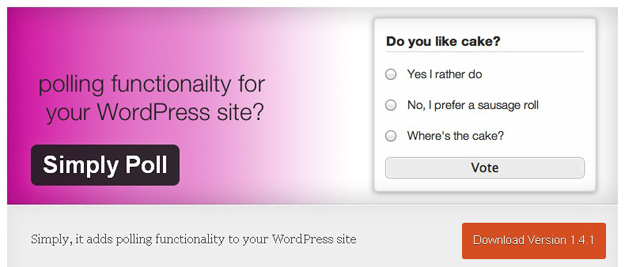
Power users can also customize the theme templates for each poll by editing the relevant files. You can visualize the collected data within the dashboard or can export it, if required. I must say that this is one of the best and easy-to-use poll plugins available for WordPress users.
db-form
Now this plugin is like a sleeping giant. It simply collects values from custom forms and saves it at the back-end in your WordPress database. You can use your imagination to use this handy plugin for different purposes.
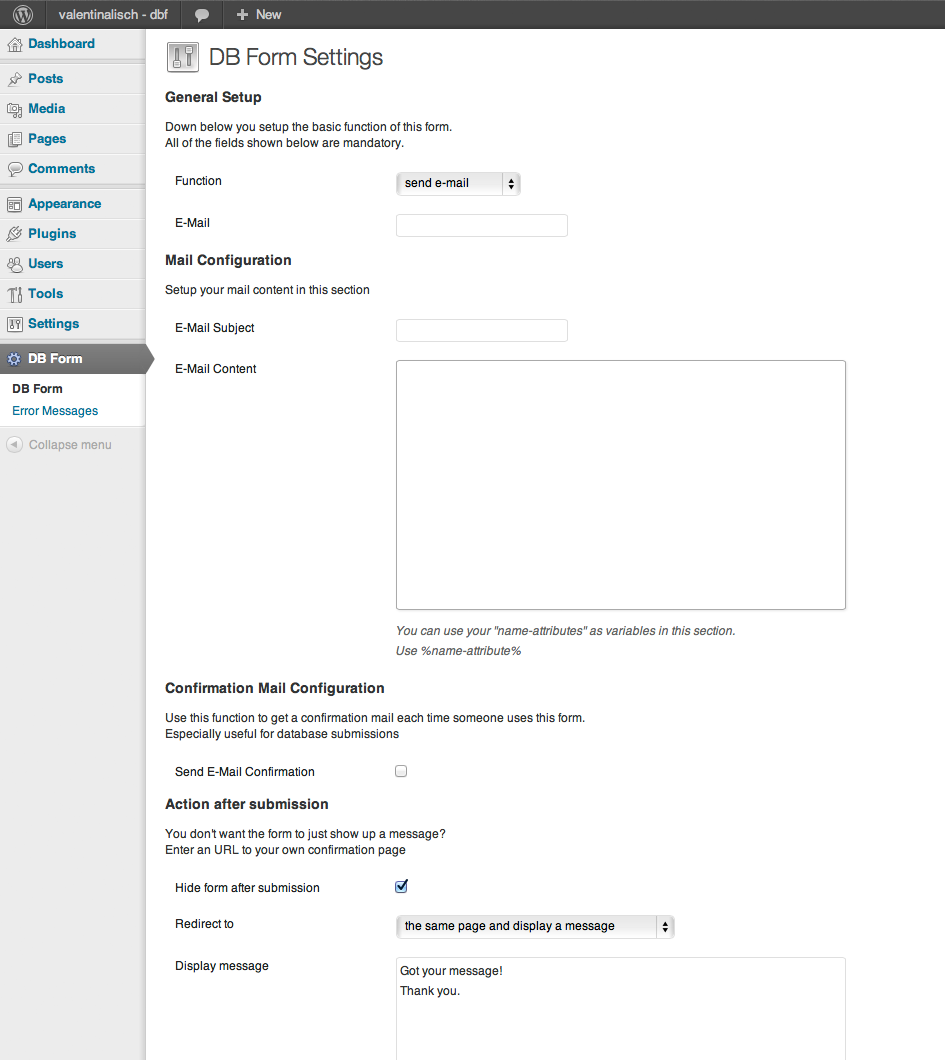
Obviously, one of the best use of this plugin is to use custom surveys to collect unlimited amount of data from your readers. It has an email notification system for submissions and also lets you customize your data collecting forms.
SurveyGizmo Survey
This is a premium survey service for professional WordPress bloggers. It collects data in real time. It provides powerful reporting tools to track and analyze your survey’s progress.
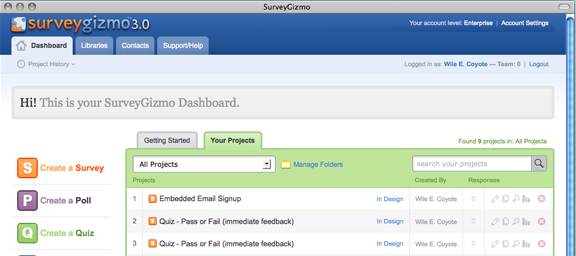
It also provides a handy export function to collect the survey data in Excel files. Power uses can also use its API to push the collected data to other 3rd party services like Aweber. This lets you create powerful and automated conversion funnels with ease.
Skysa Polls App
Syksa Polls App allows users to vote on topics you create. You are also able to add and delete polls, set their position and customise them to suit your site.
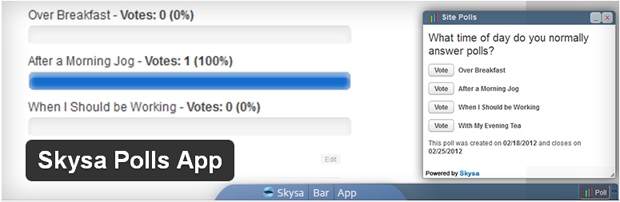
Skysa is simple enough to run alongside a basic blog, it does allow you to have multiple polls and surveys running at the same time.
Hence it is an adaptable and versatile plugin.
Final Thoughts
Nowadays, a lot of people prefer to use WordPress as their content management system. Whether it’s for a blog or for an eCommerce website, it’s important to add a WordPress survey or poll plugin.
Having a survey or poll plugin on your WordPress-based site isn’t just a great idea for improving user engagement. It is also the best way to find out what your site visitors are thinking.
And, since most people easily get bored when they dig deeper on a certain topic, having a simple survey or poll on your website can spice things up and change their mood.
Surveys also give you, the site owner, to gain valuable feedbacks, and let visitors express their ideas.
Starting or organizing polls or survey on website is the best way to interacting with readers & visitors. It also helps bloggers to analyze data from surveys to make importance decision later.
Bloggers can set up poll questions depending upon their requirement to understand the behavior or taste of their target audience.












Leave A Comment
You must be logged in to post a comment.